教程Tutorial
Clash Verge Rev 下载和安装之后,可以通过以下教程配置好 Clash Verge Rev。After downloading and installing Clash Verge Rev, follow the tutorial below to configure it.
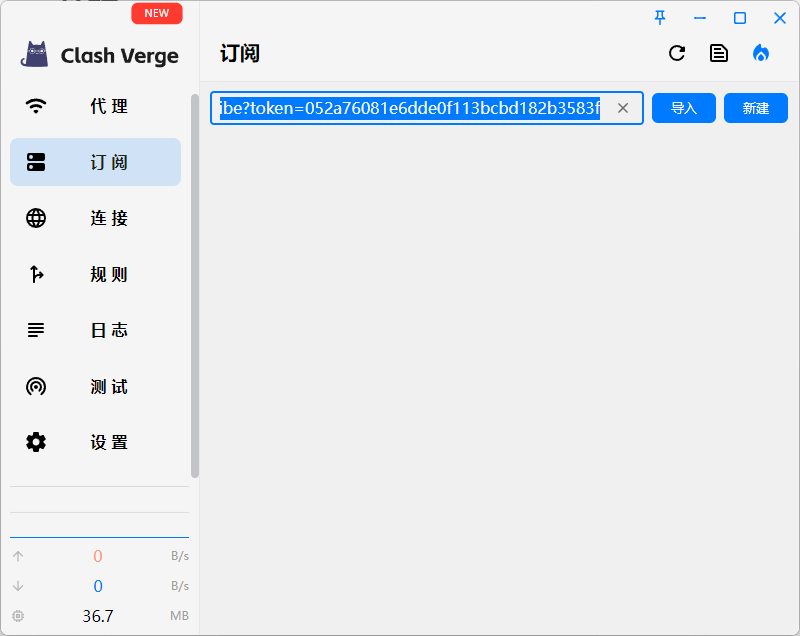
订阅Subscription
通过菜单订阅,将机场的订阅地址复制到里面,导入即可。Go to the Subscription menu, copy your airport subscription URL and import it.
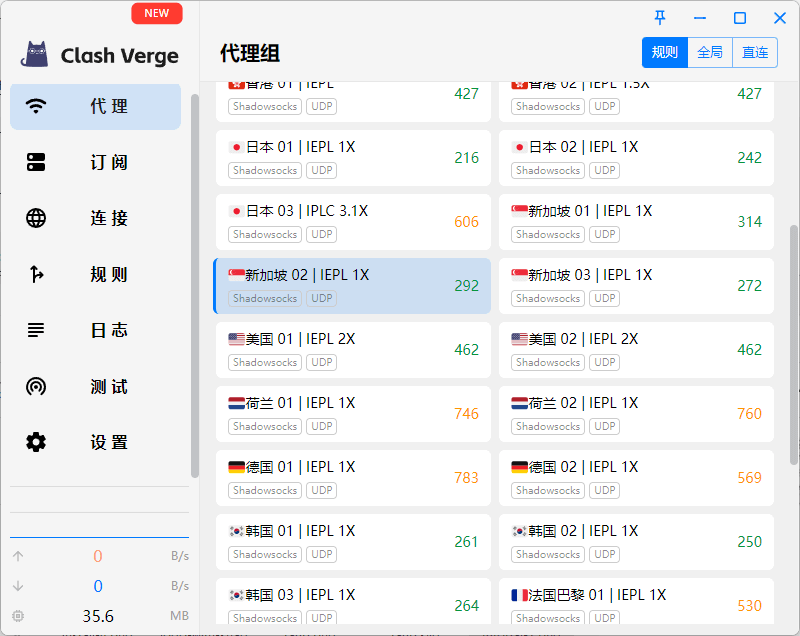
代理Proxy
通过菜单代理,选择一个速度快的节点,点击将其激活。Go to the Proxy menu, select a fast node and click to activate it.
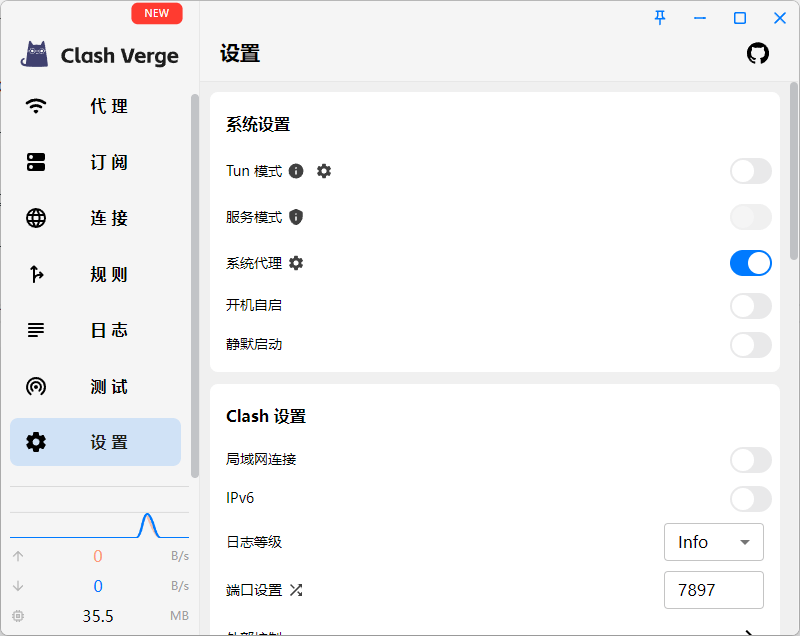
设置Settings
通过菜单设置 - 系统设置,将系统代理激活即可。如果要去掉代理,关闭即可。Go to Settings → System Settings and enable System Proxy. To disable proxy, just turn it off.